Network Scan
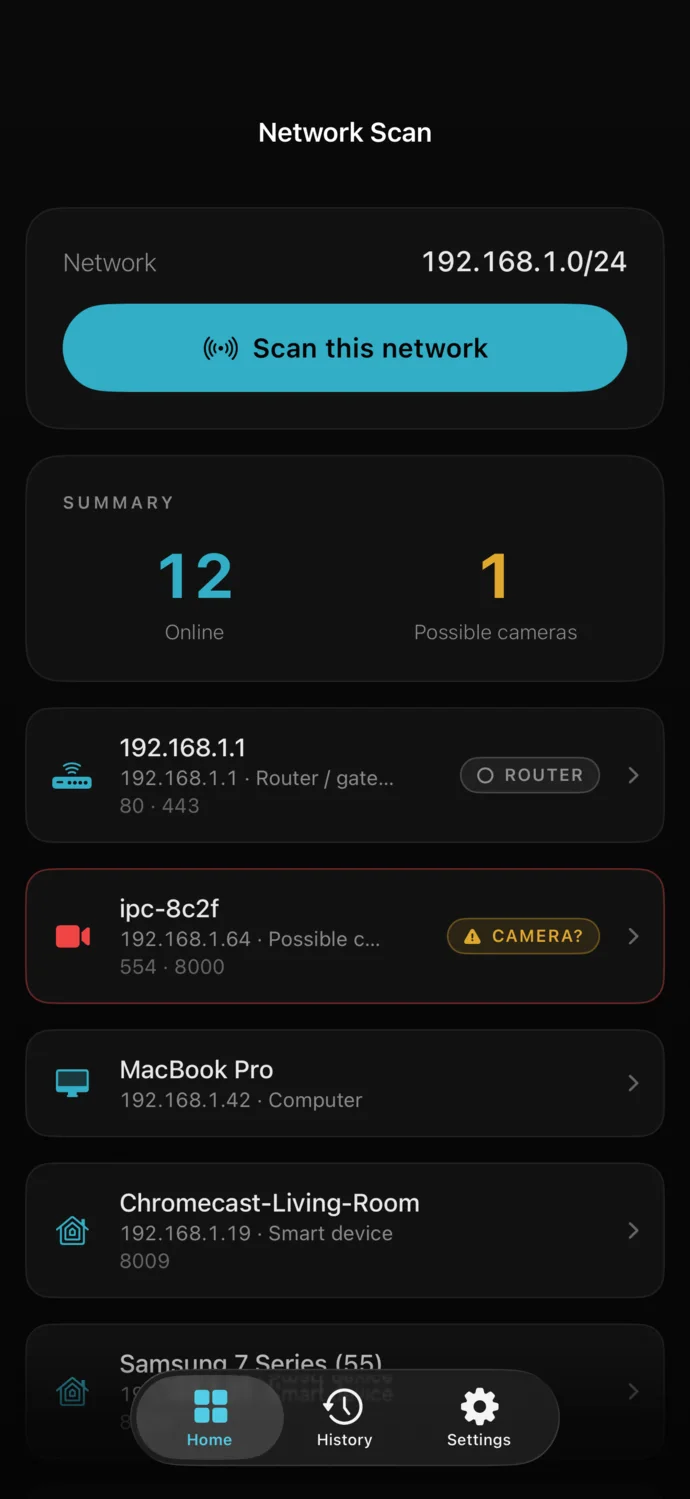
Who's on your Wi-Fi? See every device on the network, with anything that looks like a camera called out.
Faraday turns your iPhone into a four-sensor privacy instrument. It scans the Wi-Fi for cameras and nearby Bluetooth for trackers following you, then guides you as you check surfaces for lens glints and objects for hidden electronics — in about two minutes.
Sweep the room before you unpack. Airbnb and Hotel presets run the right checks, in order.
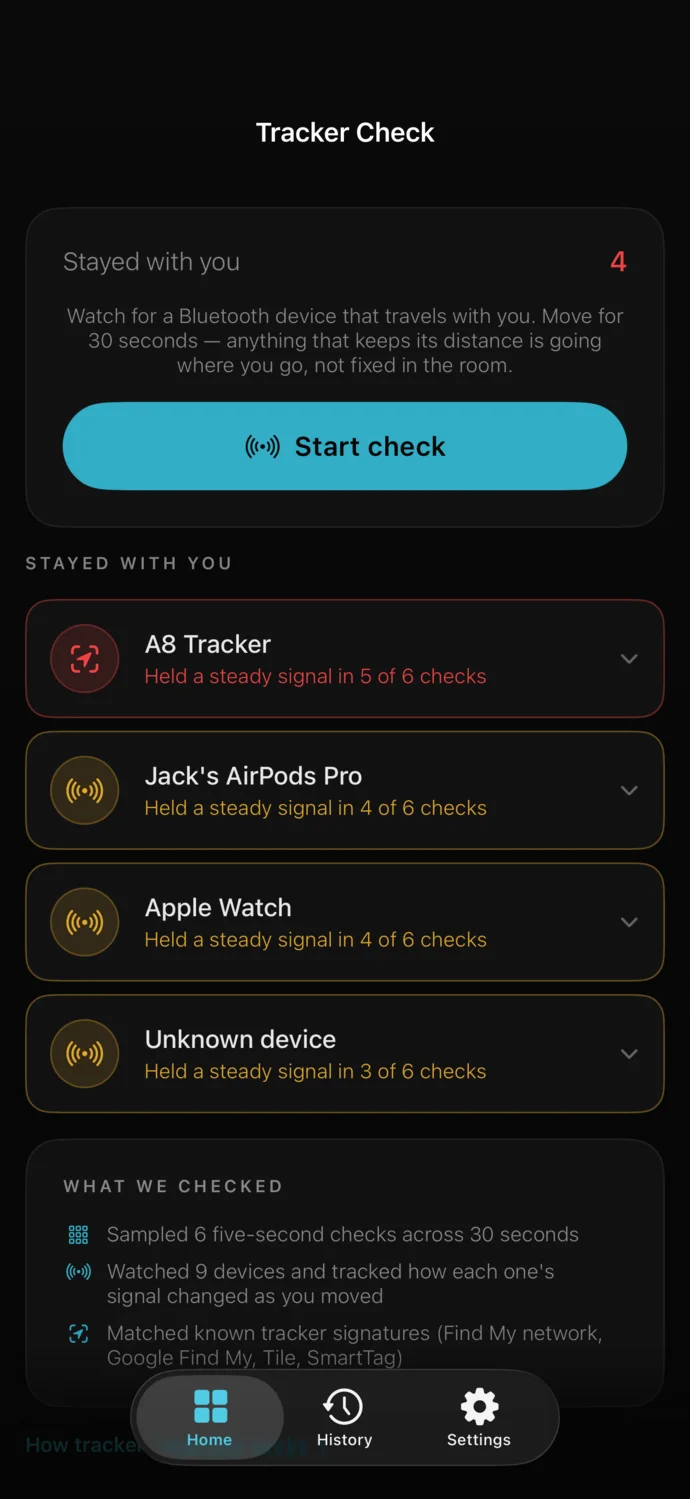
Find out if a Bluetooth tracker is keeping pace with you — in a bag, a coat or a car.
See every device on your Wi-Fi, with unknown and camera-like devices called out.
Check whether a Wi-Fi network is safe before you trust it with anything.
A hidden camera gives itself away in more than one way. Faraday checks each of them, then tells you plainly what it found.
Join the room's Wi-Fi. Faraday checks every device connected to it and points out anything that looks like a camera.
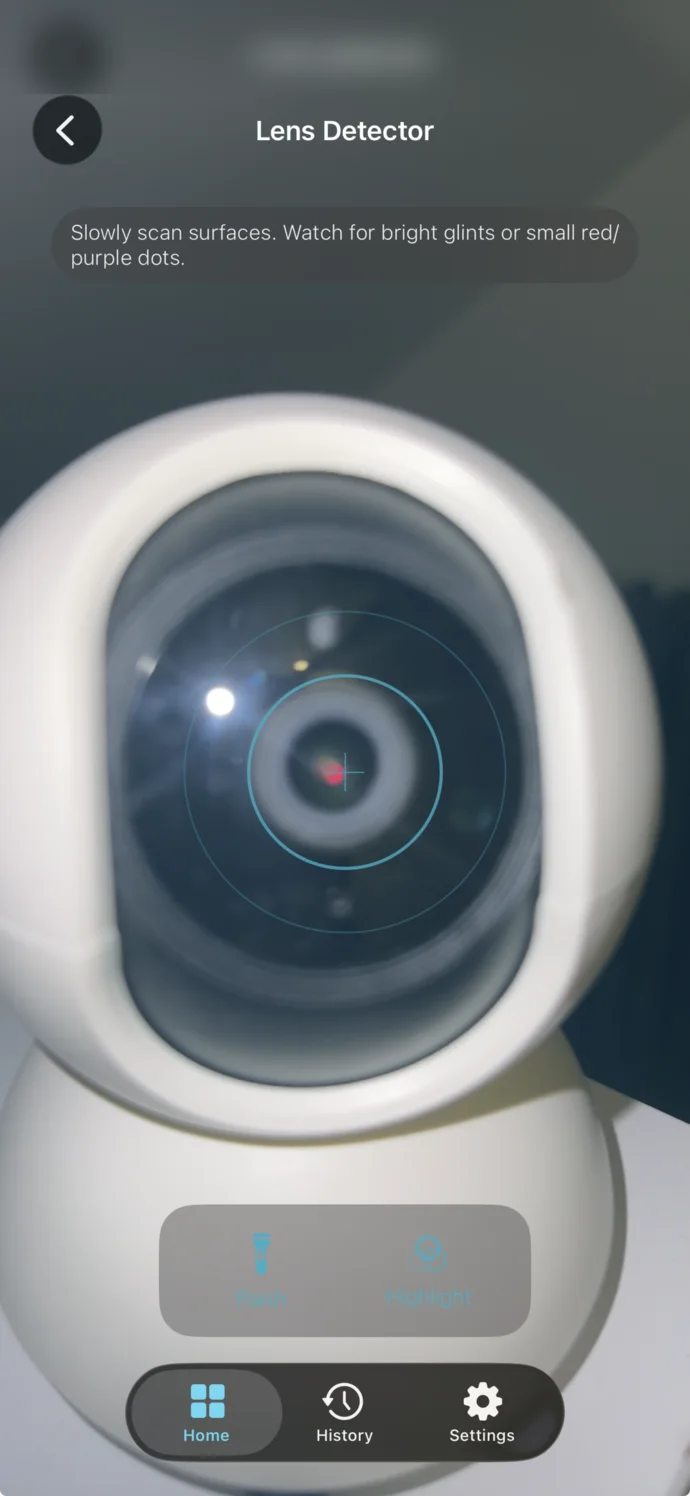
Lights off, torch on. A camera lens returns a sharp point of light straight back at you — even through a pinhole in a smoke detector or a clock face.
Walk around for thirty seconds. Faraday watches the Bluetooth devices around you and flags any that keep following — like a tracker slipped into a bag.
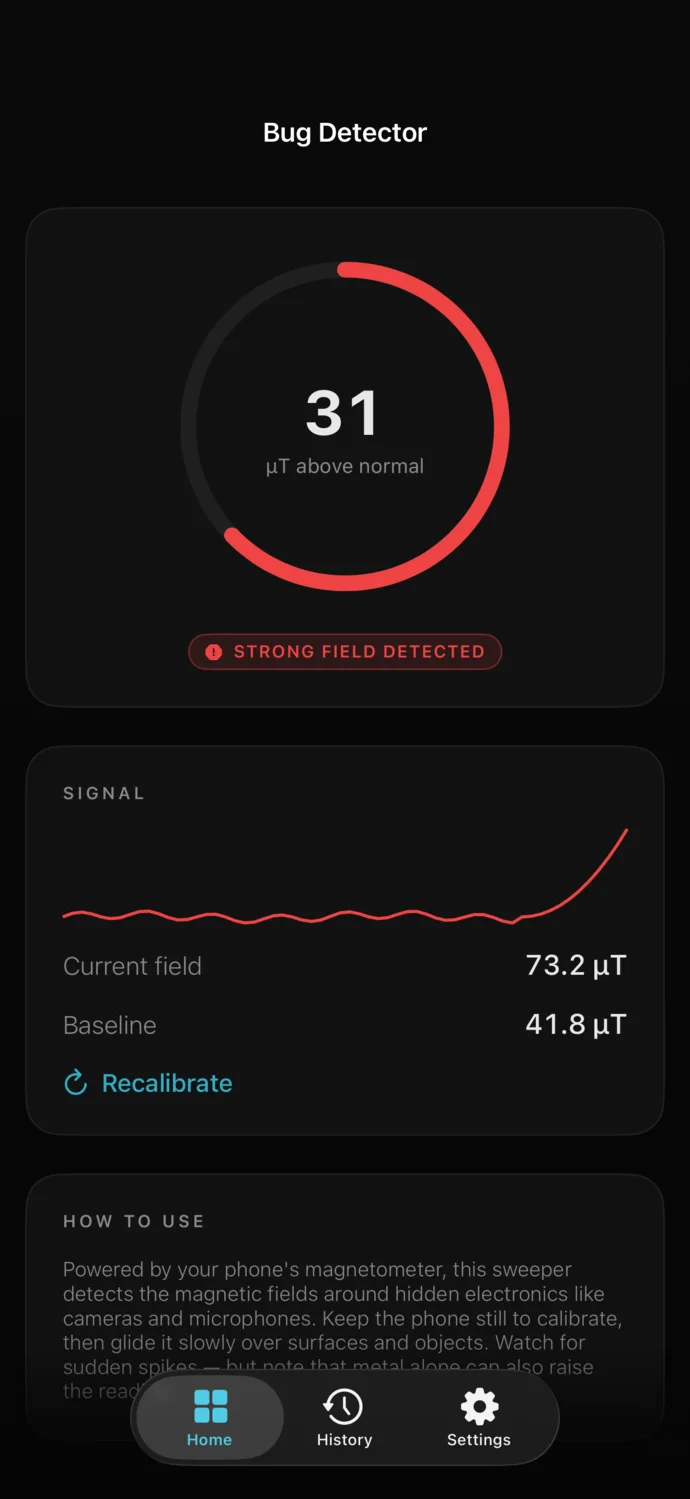
Hold your phone close to anything that looks out of place. Hidden electronics disturb the magnetic field around them, and Faraday shows you the jump.
One tap on the Hotel, Airbnb, Home or Car preset runs the right checks for where you are and gives you a clear answer: nothing concerning found, or exactly what to look at.
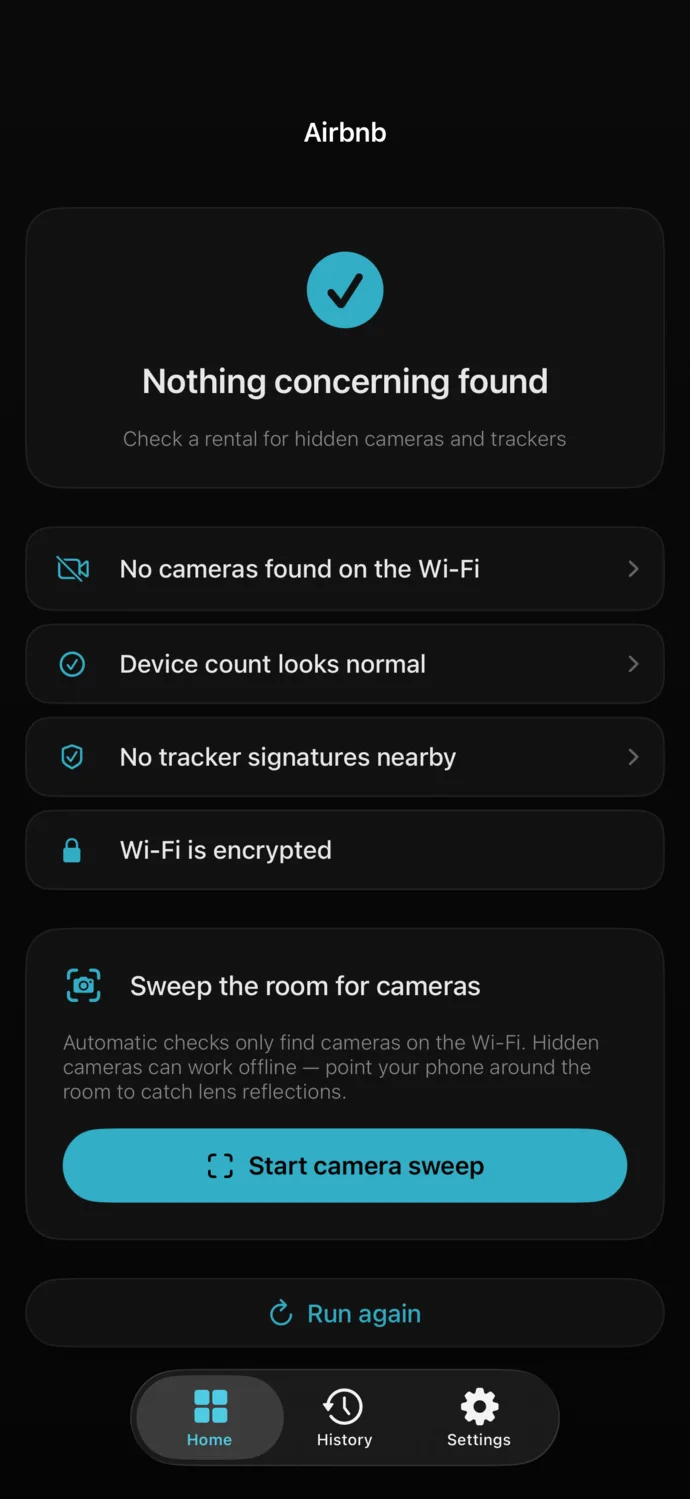
Network Scan · 1 possible camera
Why four checks, not one.Each check looks for a different clue. A camera kept off the Wi-Fi still has a lens that reflects light. A covered lens still has electronics behind it. Together, they make a Faraday sweep far more thorough than any single check.
No fake RF meters. No sirens. Faraday uses the sensors your iPhone actually has, and every result tells you why it was flagged.
Who's on your Wi-Fi? See every device on the network, with anything that looks like a camera called out.
Your torch and camera, tuned for the job. A hidden lens throws a pinpoint glint straight back at you — one your eyes would miss in a lit room.
Walk around for thirty seconds and Faraday flags any Bluetooth device that keeps following you. Recognizes Tile, SmartTag and other popular trackers.
Your phone's built-in compass sensor, turned into a bug detector. Hidden electronics show up as a sharp jump on the gauge.
Is this network safe to use? Faraday checks whether it's properly protected and runs a speed test.
Checks your router and home devices for weak spots, and explains each one in plain words.
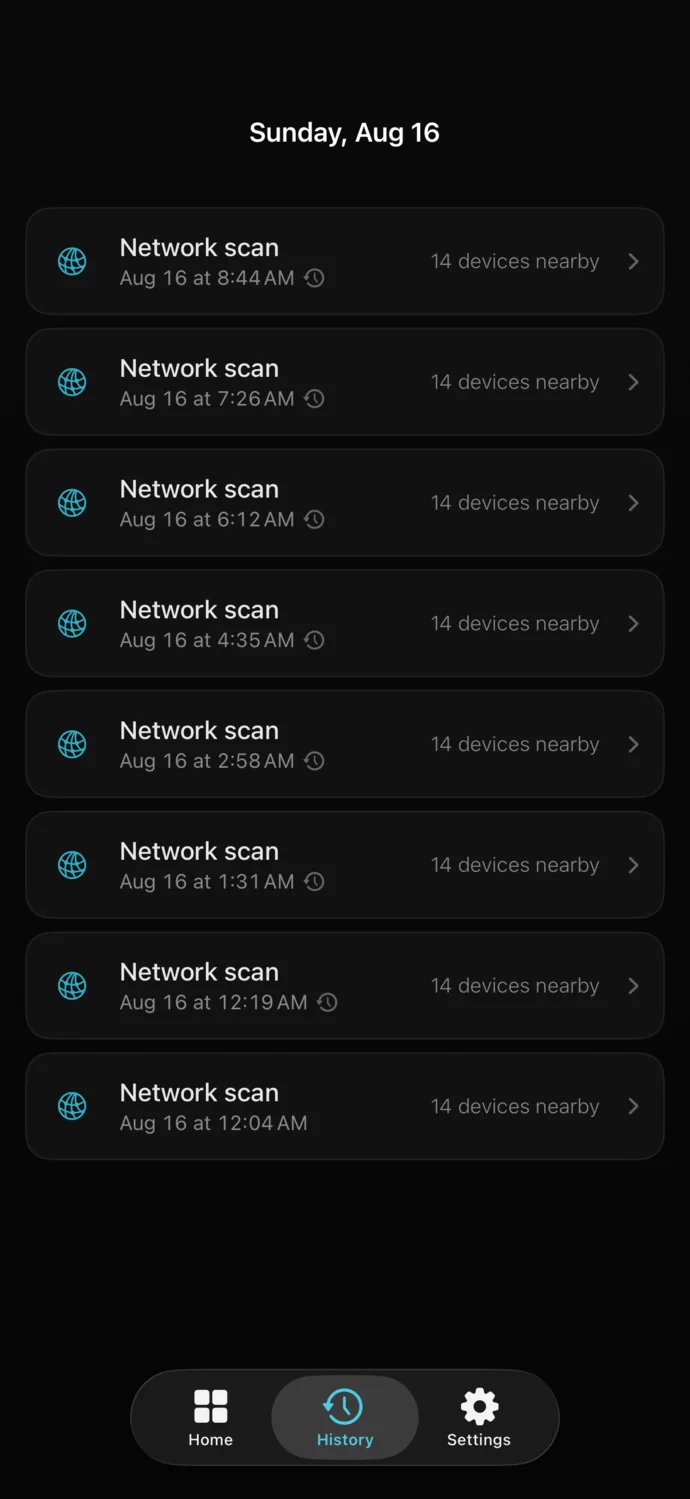
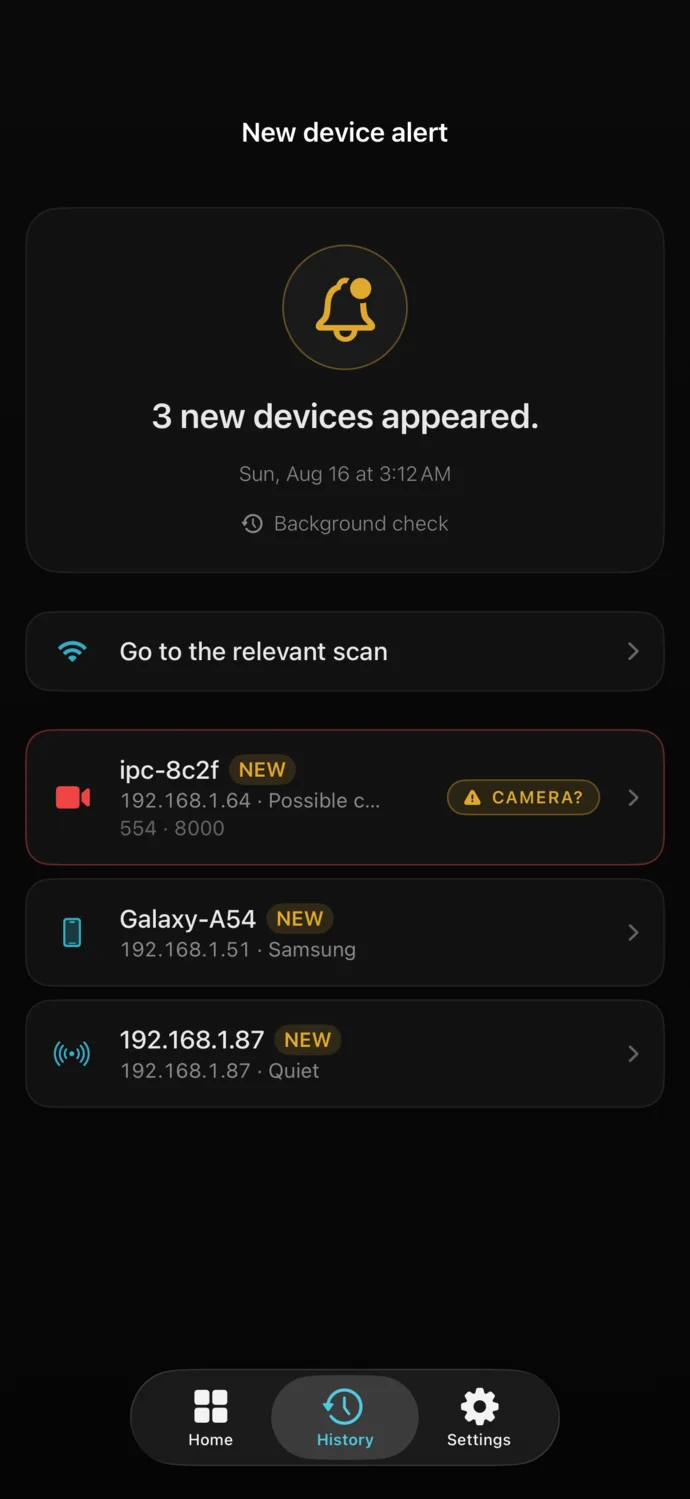
A sweep answers the question once. Pro keeps answering it. Faraday re-checks your Wi-Fi in the background and tells you when something new joins — so you can stop checking yourself.
Every scan runs on your iPhone, and the results never leave it. There's no account to create, no sign-in, and no third-party analytics watching what you check.
Location access is used for one thing — iOS requires it to read the name of the Wi-Fi you're on. Faraday never reads or stores your GPS position.
With the right app, it can check for them three ways: by scanning the Wi-Fi for camera-like devices, by using its camera and flash to catch the glint of a lens, and by using its built-in compass sensor to pick up hidden electronics. Faraday combines all three in one app.
Start with the Wi-Fi: join it and scan for camera-like devices. Then darken the room and look for the glint of a lens, and check anything that looks out of place for hidden electronics. Our room-sweep guide covers where cameras are usually hidden and what to do if you find one.
Yes. Join the room's Wi-Fi and run a Network Scan to flag camera-like devices on the network, then use the Lens Detector and Bug Detector to check the room itself. The Airbnb and Hotel presets run the network, tracker and Wi-Fi checks in one pass, give you a clear answer, and take you straight into the lens sweep. Our room-sweep guide covers where to look.
Yes — that's what the Lens Detector and Bug Detector are for. A camera recording to a memory card still has a lens that reflects light and electronics that distort the magnetic field, so Faraday checks for both.
Faraday flags any Bluetooth device that keeps moving with you, including AirTags, which appear as unnamed devices because iOS reserves their identity for Apple's own Find My alerts. Tile, Samsung SmartTag, Google Find My and Find My network trackers are recognized by their signatures.
No. Every scan runs on your iPhone and results never leave it. There's no account, no sign-in and no third-party tracking.
Yes, Faraday is free to download, and every tool comes with free scans. Faraday Pro adds background monitoring, new-device alerts, full history and unlimited scans.
Any iPhone running iOS 17 or later.

Two minutes with Faraday, and you'll know the room.